ShopDreamUp AI ArtDreamUp
Deviation Actions

HG Designs Subscriber Area
Lots of high resolution goodies for graphic design including textures, photoshop brushes, seamless patterns and more.
$8/month


Suggested Deviants


Suggested Collections


You Might Like…


Featured in Groups

Description
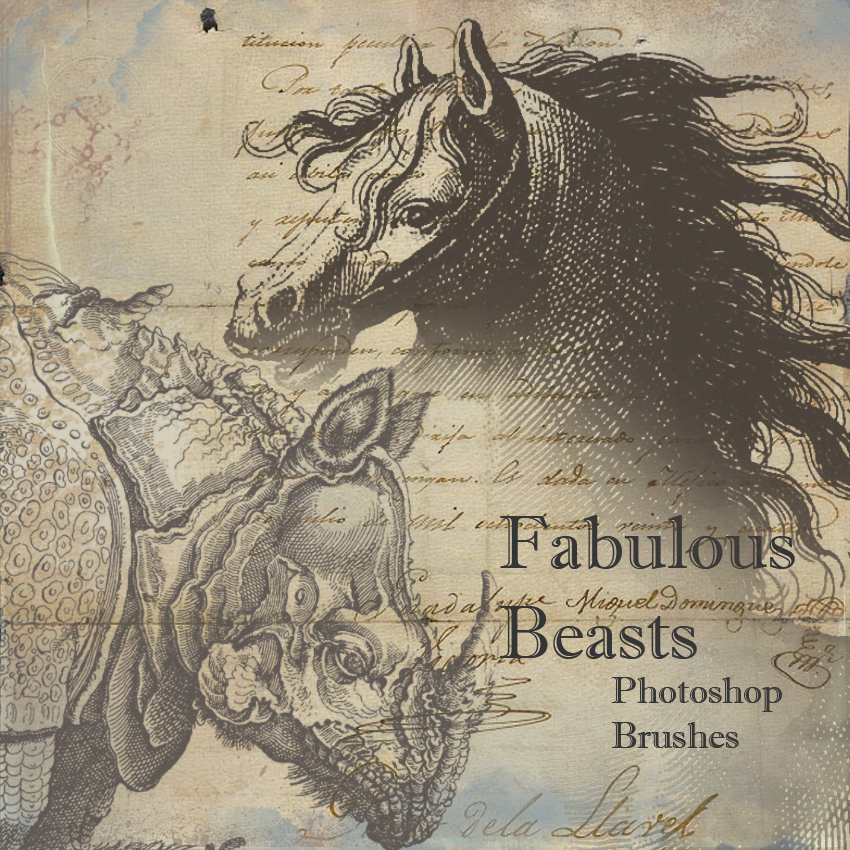
Four vintage engravings - horse, unicorn, quaint rhinoceros and a manticore.
Large brushes made in Photoshop CS.
Original engravings from [link]
by courtesy barefootliam [link]
I used one of them here: [link]
Now, we all are familiar with the standard conditions - please fav or comment, credit appropriately, link back, blah blah etc etc. And we also all know that this is like too much hassle, and we don't do it.
So - really - it would be so nice if you did all these things (and would, furthermore, demonstrate that your mother brought you up right), but actually you are free to use these in any way that inspires you. (You gonna do that anyway, right?)
I'd also really enjoy it if you note me or comment here when you use the stock in a published piece - I'd love to see your work.
Large brushes made in Photoshop CS.
Original engravings from [link]
by courtesy barefootliam [link]
I used one of them here: [link]
Now, we all are familiar with the standard conditions - please fav or comment, credit appropriately, link back, blah blah etc etc. And we also all know that this is like too much hassle, and we don't do it.
So - really - it would be so nice if you did all these things (and would, furthermore, demonstrate that your mother brought you up right), but actually you are free to use these in any way that inspires you. (You gonna do that anyway, right?)
I'd also really enjoy it if you note me or comment here when you use the stock in a published piece - I'd love to see your work.
Comments84
Join the community to add your comment. Already a deviant? Log In
Seriously, my mother couldn't raise chickens, let alone children so that settles that argument. Moving on... On the other hand, you haven't acknowledged a comment since 2014, so I'll make you a deal: if you leave a reply to my comment, I'll promise to comment here when I am inspired to use them. [I am totally kidding! Thank you for the great brushes & I HOPE I am inspired & will return!]